•To edit, clone, or delete a Task from the Task Calendar, right-click on the cell portion representing the task.
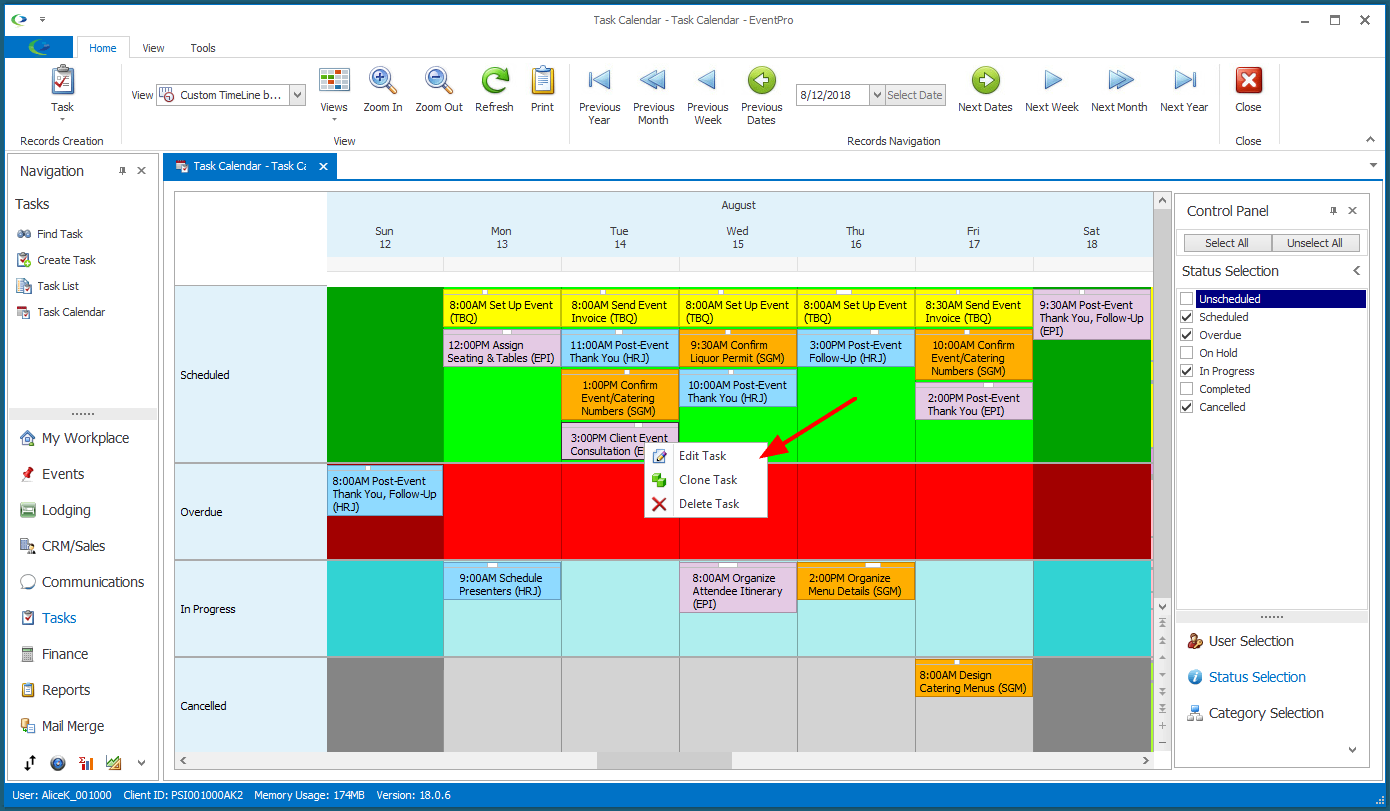
•From the speed menu, select the action you want to take:
oEdit
▪The edit form for the Task appears.
▪Make the changes you require, and click Save and Close to return to the Task Calendar.
oClone
▪This command creates a new Task that is an exact copy of the selected Task.
▪Make any changes you require in the new Task's edit form, and click Save and Close to return to the Task Calendar.
oDelete
▪This command deletes the selected Task. Ensure that you have selected the correct Task for deletion, as the Task will be deleted entirely, and you cannot "undo" this action.